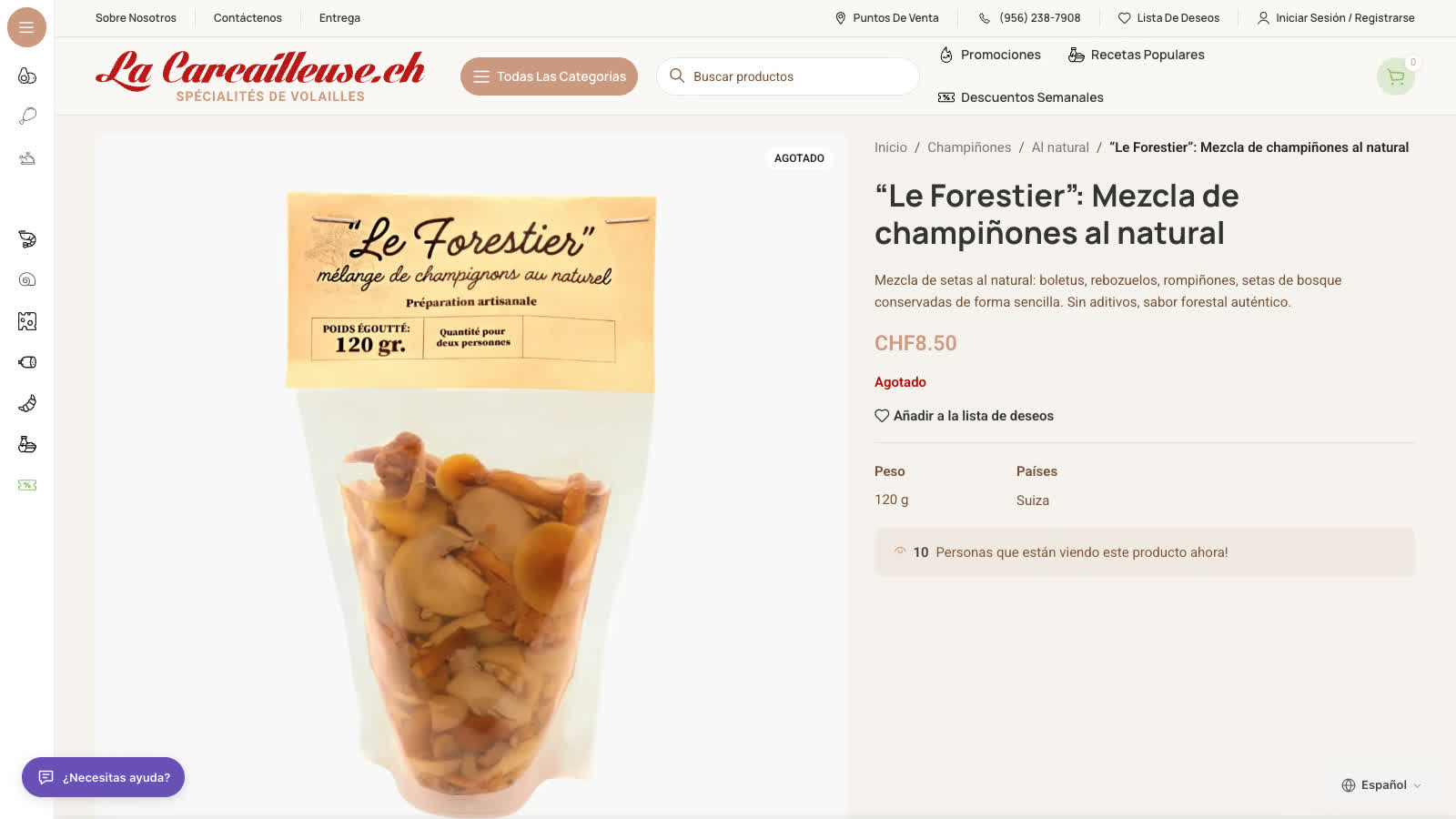
Translate your pages and WooCommerce products. Let an assistant answer from your published content, and keep relevant unresolved conversations in your website’s Support workspace.
▶ See translation and chat in action ↗Real WordPress storefront · Spanish translation and customer chat.Play here without leaving this page. YouTube loads only when you press play.
Speak your customers’ languageAnswer everyday questionsKeep your brand’s voiceManage it all in one place
TRANSLATION AND DISCOVERY
More than a translated page. A page search engines can read.
Translate pages and WooCommerce products, then check the language URL, canonical, hreflang and sitemap output before visitors arrive.
Aa ↔ 文01 / BE UNDERSTOOD
Your pages. A familiar language.
Translate pages and product descriptions without building a separate website for every audience.
Translate pages and product descriptions
Let visitors choose their language
Protect brand names and key terms
↗02 / BE FOUND
Language pages. Clear technical signals.
Use language URLs and translated sitemaps, with canonical and hreflang handling that works with common SEO plugins. Preview first; go live when it is ready.
Language URLs and hreflang
Translated sitemaps
Preview before Live
✓03 / BE READY
Check the result. Not just the setting.
A configured language is not the same as a published one. Open the translated page as an ordinary visitor and check that the selector and content are really there.
Language selected
Language published
Page visible to a visitor
YOUR BUSINESS IS THE SOURCE
An assistant with your business in mind.
“Which one should I choose?” “How do I care for it?” “What’s your returns policy?” The answers already live on your website. The assistant uses published pages and products to answer in the visitor’s language, with a link to the source it used.
Private pages, customer accounts and orders stay out of the public knowledge base. An order lookup is a separately authorized tool, not part of what the assistant indexes.
Create a free account, add the website, then copy its connection code into the plugin. A typed domain is not proof of ownership; the connection checks it.
03 / PUBLISH
Choose, test, then go Live
Choose a language, test the page in Preview, then switch to Live. Check that an ordinary visitor sees the selector and the translated page.
Installing the plugin is not activation. The result is a published translated page, an assistant that answers from your content, and a Support workspace that can take the next step.
A SMALL START. ROOM TO GROW.
Start free. Add a bigger welcome.
Start with 3,000 translated words in one language and 20 completed assistant replies per website, renewed every 30 days. Larger allowances start at $19/month.
Prices and allowances are per website. Each completed assistant reply counts once; a conversation can include several replies. Cached translations are reused without charging for the same work again. There are no automatic overage charges: new replies pause at the limit until renewal or an upgrade.
Paid WordPress plans are billed monthly in US dollars through the TradeGear workspace.
BEFORE YOUR FIRST HELLO
Good questions. Clear answers.
What do I get for free?
3,000 translated words in one language and 20 completed assistant replies per website, renewed every 30 days. When the reply allowance is used, new replies pause until renewal or you upgrade. There are no automatic overage charges.
How does the assistant learn about my business?
Through the WordPress plugin, TradeGear syncs the published pages and public product content you choose. Private pages, customer accounts and orders are not included.
Does TradeGear replace Wix’s SEO settings?
TradeGear can add language URLs, hreflang and translated sitemap entries, subject to your configuration and SEO plugin. Check the source and translated HTML before relying on them.
Can the assistant place or change orders?
Not as part of this launch. Private order lookup and amendment are separate, platform-specific capabilities that require deployed end-to-end verification and owner enablement. They are not a general WordPress, WooCommerce or Wix promise, and an email address plus an order number never proves ownership.
How do visitors follow up on a case?
The visitor can check the case status, read replies and send a follow-up in the chat where the case was opened. Your team can send email replies when email delivery is enabled for the website.
Can I try it without publishing?
Yes. Preview lets an administrator or a preview-link visitor see translated pages before you switch to Live. Preview is not the same as a language every visitor can use.
How do I remove a language?
Remove it in your TradeGear workspace. Translation for that language stops, and the stored text is retained for the documented cleanup window before deletion. Removing a language is not a promise to erase usage already metered.
YOUR NEXT CUSTOMER MAY SPEAK ANOTHER LANGUAGE
Your first page. A new language.
Start with 3,000 translated words a month in one language. No card needed.
Create a free account, add your website and copy its connection code into the plugin.